Sky Dodge
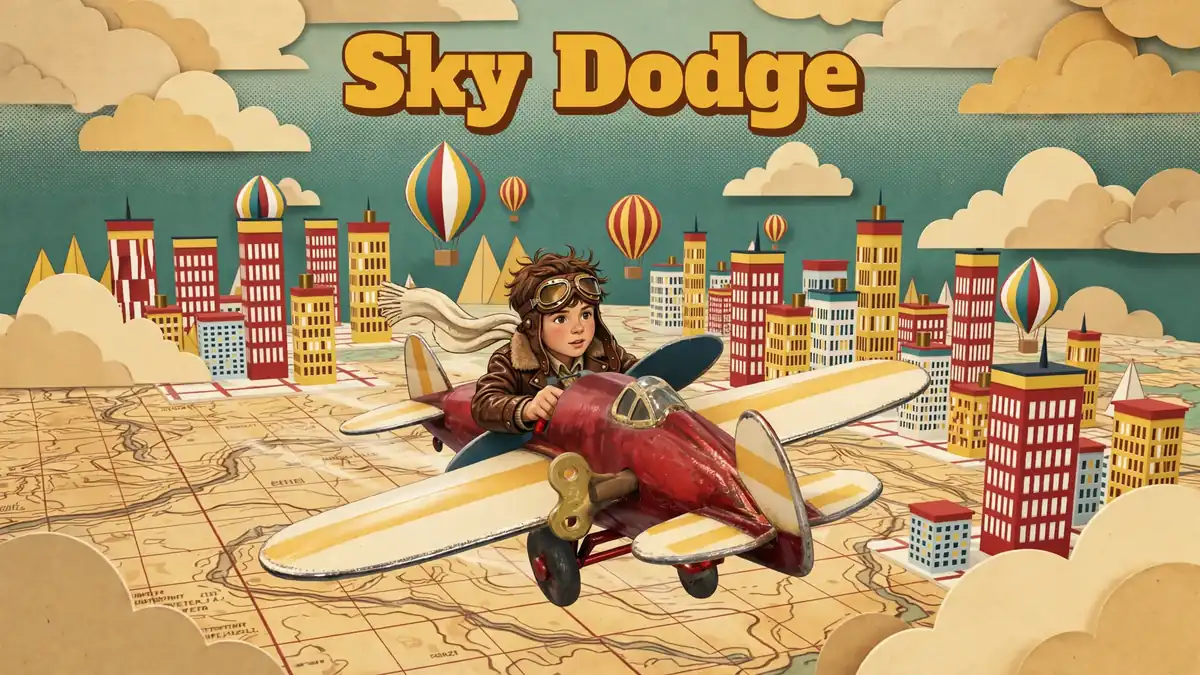
Fly a tin wind-up monoplane over a giant printed map, dodge paper cities and game-piece obstacles, collect coins to buy new planes, and crash with dents, fire, and lasting crash stamps.
Made by Lion
About Sky Dodge
You pilot a tin wind-up monoplane flying low over a giant printed map, steering around paper cities and game-piece obstacles while grabbing coins. Coins can be spent in a shop to buy new planes, and crashing leaves dents, fire, and lasting crash stamps on the map.
- Kind: Runner, Flight and planes
- Played 41 times
- Published 2026-11-18
- Mode: single player
- Runs in a web browser, on a phone or a laptop. Free to play.
How to play Sky Dodge
Goal: Fly as far as possible without crashing while collecting coins to unlock new planes.
Controls
- W A S D, Arrow keys: pitch and turn the plane
- Space: start flight, boost, or restart after crashing
- R: restart flight
- P, Escape: pause or close the shop menu
- mouse or touch: steer the plane
Your first game
- Press Space to start flying
- Use W A S D or the arrow keys to steer the plane
- Dodge paper cities and game-piece obstacles
- Collect coins as you fly
- Visit the shop to buy new planes with coins, then press Space or R to fly again
FAQ
What is the goal of Sky Dodge?
The goal is to fly a tin wind-up monoplane as far as possible over a printed map without crashing. As you dodge paper cities and game-piece obstacles, you collect coins to unlock new planes.
How do you control the plane?
You can steer and pitch the plane using W, A, S, D, arrow keys, or mouse and touch input. Space is used to start the flight, boost, or restart after a crash, while P or Escape pauses the game or closes the shop.
What can you spend collected coins on?
Collected coins can be spent in the in-game shop to unlock new planes.
What happens when your plane crashes?
Crashing creates dents and fire on the plane, and it leaves lasting crash stamps on the map.
More runner games
- Need for Speed - Prototype
- Lots Full
- Shopping Madness
- DRE'S SUPER WORLD
- YGB SHOPPING MADNESS
- Supermarket Sprint
- Holi Game: Rang Barse Splash
- Ball Game: Bounce Rush
- Sewer Dash
- HOOD WIRE
- Endless Slope Flip
- Ender Run