Open Skies
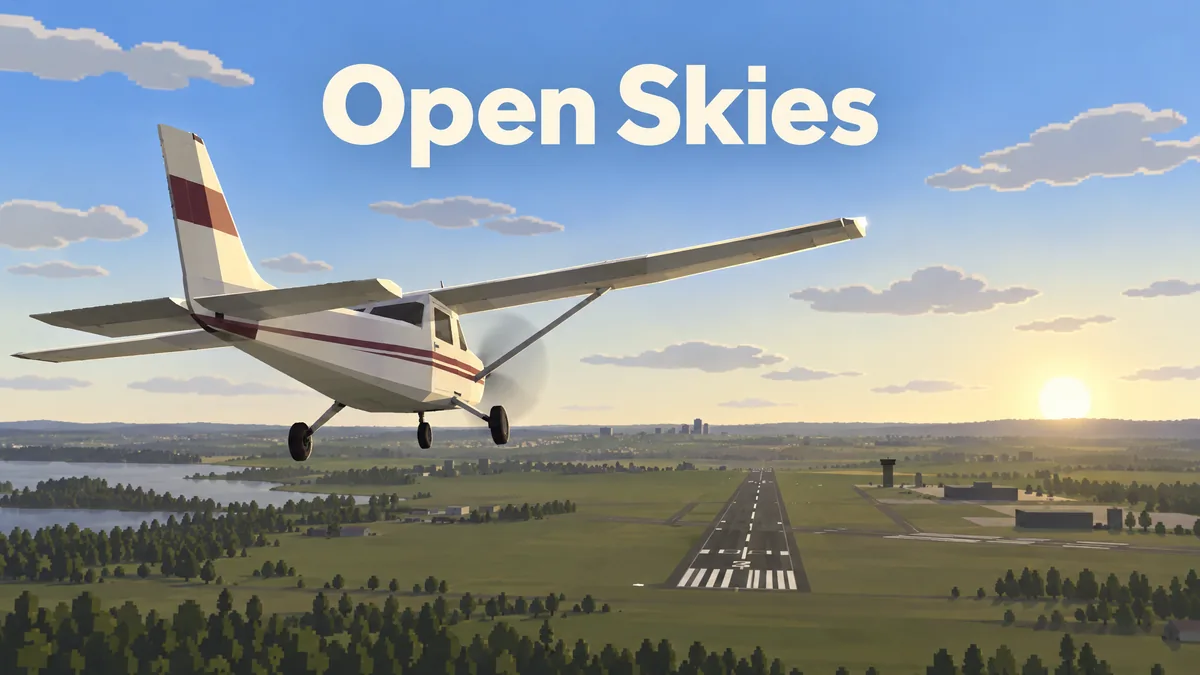
Open Skies is one of the free airplane simulator games online. Take off, fly over open land and land safely. No download, play in your browser.
Made by Jordan
About Open Skies
Open Skies is a 3D flight simulator where you pilot a small propeller plane over a world with cities, towns and a runway. You control the plane's pitch, roll, yaw and throttle to take off, fly around and land, with options to switch camera views, toggle gear and flaps, and check a map.
- Kind: Driving & Racing, Driving simulators, Flight and planes
- Played 343 times
- Published 2026-10-04
- Mode: single player
- Runs in a web browser, on a phone or a laptop. Free to play.
How to play Open Skies
Goal: Take off, fly the plane around the open world, and land it safely.
Controls
- W A / Arrow Up Arrow Down S: pitch elevator up or down
- A D / Arrow Left Arrow Right: roll left or right
- Q E: yaw left or right (rudder)
- Left Shift / Ctrl: increase or decrease throttle
- Space: brake
- F: adjust flaps
- G: toggle landing gear
- B: toggle parking brake
Your first game
- Start the plane on the runway
- Increase throttle to begin moving forward
- Pull back to lift off once at speed
- Use roll and yaw controls to steer through the sky
- Lower gear and flaps, then reduce throttle to land
FAQ
What kind of game is Open Skies?
Open Skies is a single-player 3D flight simulator. You pilot a small propeller plane over an open world featuring towns, cities, and a runway, with the goal of taking off, flying around, and landing safely.
What controls are used to fly the plane?
You control pitch with W and S or the Up and Down arrows, roll with A and D or the Left and Right arrows, and yaw with Q and E. Throttle is adjusted using Left Shift and Ctrl, while Space brakes, F adjusts flaps, and G toggles landing gear.
Does Open Skies have multiplayer?
No, Open Skies is designed as a single-player game.
More driving & racing games
- Need for Speed - Prototype
- Gravel Rally World 1.0
- Open Road Drive
- BIG BILLION STAMPEDE
- Low Poly Simple Airport 2027 Year
- Underdog Grid
- NEON ROADSTER X
- Glitter Racer 3D
- Crypto Drag Race
- Car Game Mod
- Car driving game realistic with multiplayer
- Moto Paris